How to put a Bible verse on your iPhone Lock Screen
A verse can sit in four places on your iPhone: on the Lock Screen, on the Home Screen, as your wallpaper, or in a notification. Here are the steps for each. Most people end up using two of them.
Which one you want
| Where | Best for |
|---|---|
| On your Lock Screen | A new verse each time you pick up your iPhone, readable without unlocking |
| On your Home Screen | A bigger verse in color, with arrows to step to the next one |
| As your wallpaper | One verse you want to carry for a season |
| As a notification | A verse that finds you in the middle of the day |
The steps below use Dailies, because that is the app this site is about. The wallpaper route works with a picture of a verse from anywhere, and the widget steps are the standard iOS ones.
1. A verse on your Lock Screen
This is the one most people mean: a short verse sitting under the clock, different from the last time you looked.
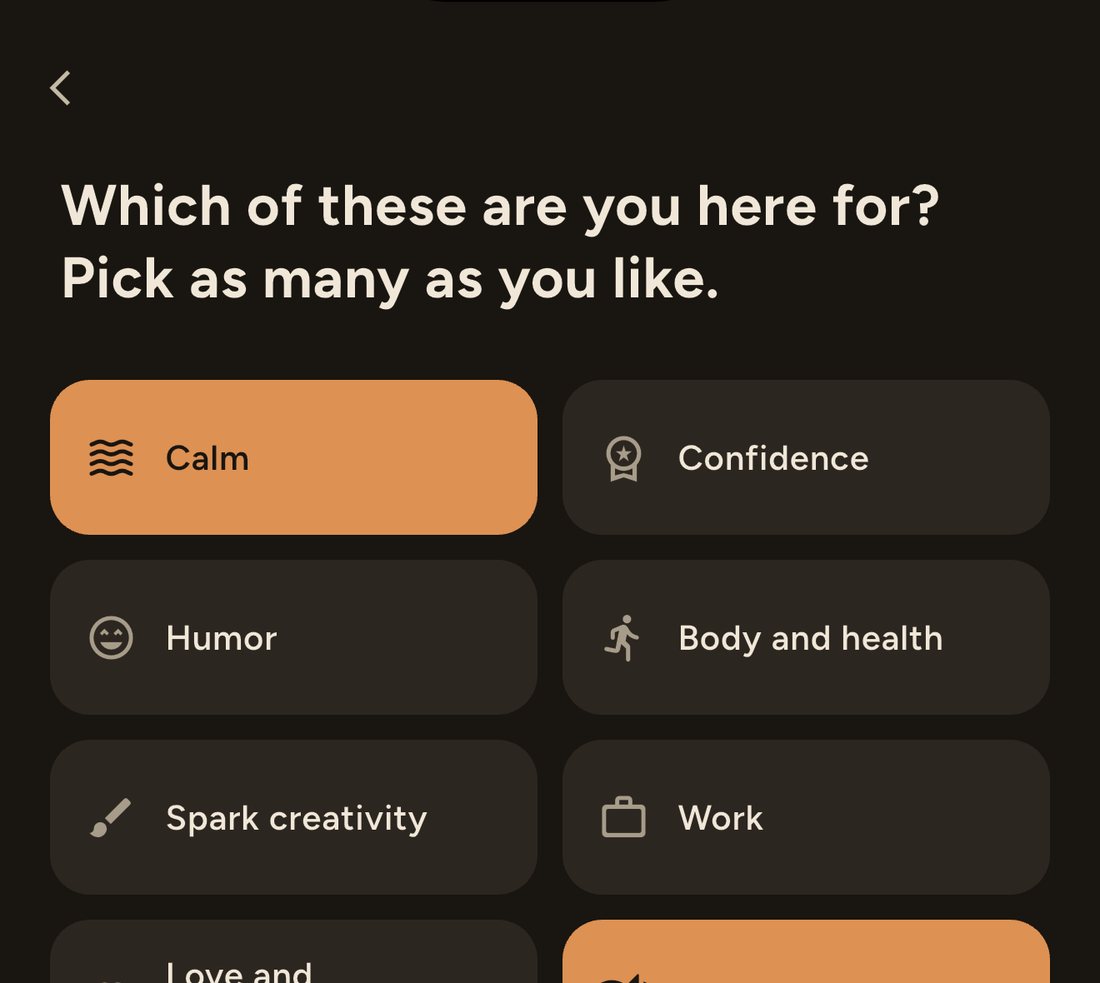
First tell the app you want scripture, then add the widget.
- Install Dailies and open it. When it asks Which of these are you here for?, choose Faith, along with anything else you like.
- Once you are in, go to Personalize → Topics. Under Faith, follow Scripture for today.
- Wake your iPhone and touch and hold the Lock Screen. You may be asked to unlock first.
- Tap Customize, then tap Lock Screen.
- Tap the empty box under the time, pick Dailies from the list, and tap Done.
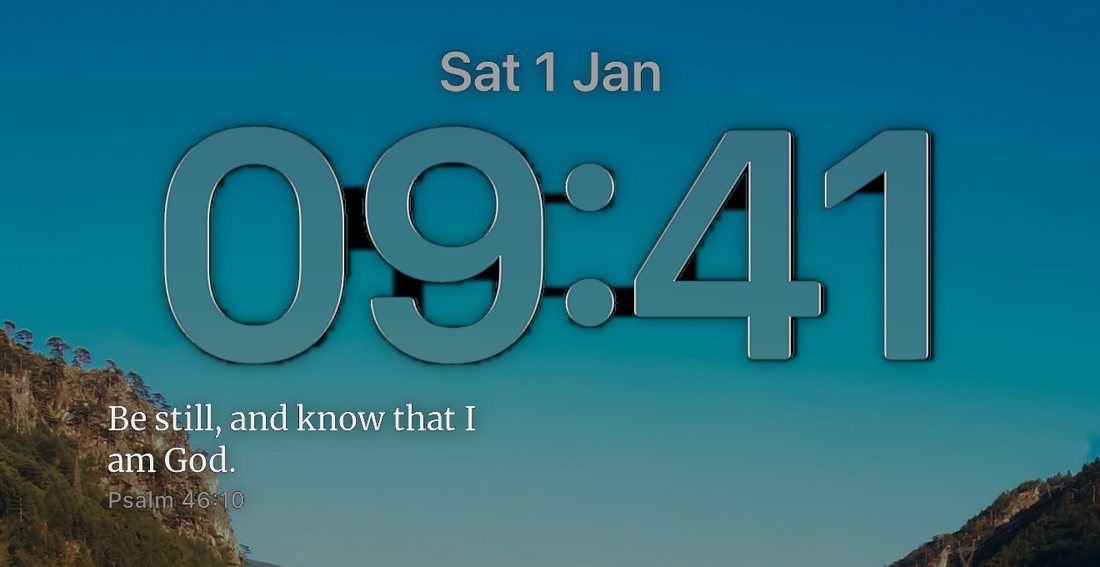
The widget shows whatever your feed is made of. If you would like verses and nothing else, make Scripture for today the only topic you follow. If you would like them mixed in with other things, follow it alongside the rest. The Faith section has other topics too, such as Grace when you fall short and Prayer that keeps you steady, which bring in verses alongside other writers of faith.
A free install follows a handful of topics chosen from your answers during setup. If Scripture for today shows a lock, it is one of the topics Premium opens.
iOS gives a Lock Screen widget one small box and draws it in a single tone, the same way it draws the battery and the alarm. So Dailies puts short verses there, the ones that fit the box whole, rather than a long passage cut off halfway. Tap the widget to open the app on that verse.
2. A verse on your Home Screen
The Home Screen widget is the bigger, warmer version: the verse in color, on the background and typeface you chose, with arrows to step to the next verse, a heart to keep one, and a button to share it. The large size has room for the longer passages the Lock Screen has to leave out.
- Touch and hold an empty part of your Home Screen until the icons jiggle.
- Tap Edit, then Add Widget. On older versions of iOS this is a + in the top corner.
- Search for Dailies and choose it.
- Swipe to the medium or large size, then tap Add Widget and Done.
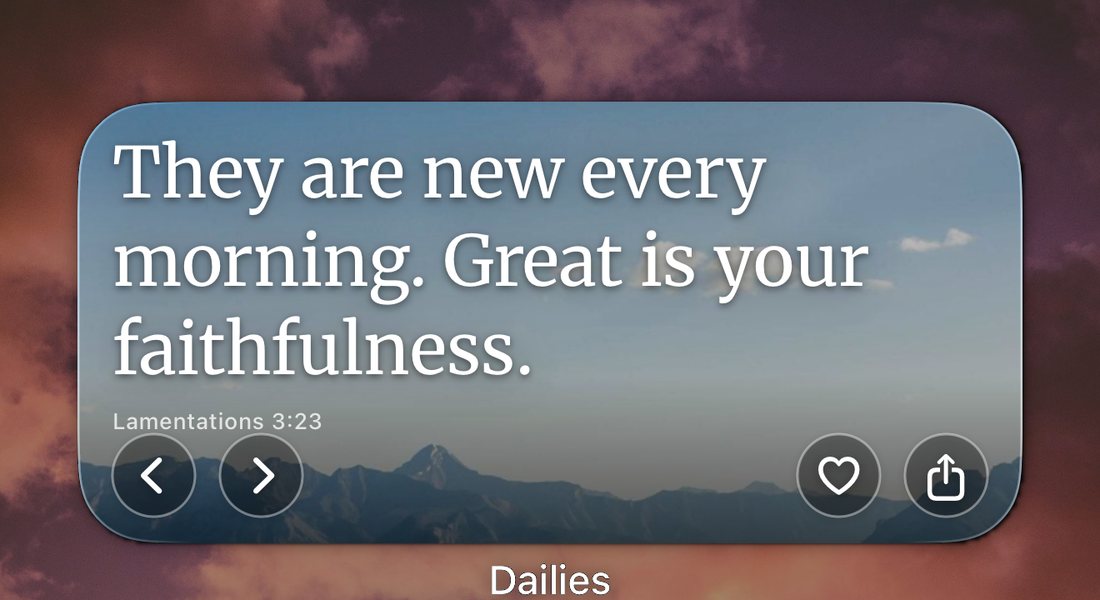
It follows the same topics as the Lock Screen widget, so with Scripture for today followed, it shows verses too. Moving, stacking and the fixes for a missing widget are in how to add a widget to your Home Screen.
3. A verse as your wallpaper
If there is one verse you want in front of you all week, make it the picture itself. It will not change until you change it, which is exactly the point.
- In Dailies, press and hold the verse to bring up the share options. It goes as a card, in the background you are reading it on.
- Choose Save image. The picture lands in your photo library.
- Open Settings → Wallpaper → Add New Wallpaper, or touch and hold the Lock Screen and tap +.
- Pick Photos and choose the verse you just saved.
- Pinch and drag so the words sit clear of the clock, then tap Add.

He who keeps you will not slumber.
Psalm 121:3
Take that last step slowly. The clock sits high and centered, and a verse centered in the picture will land underneath it.
Any picture of a verse works the same way, whether it came from Dailies, from your church, or from a photo you took of a page. And because iOS keeps more than one Lock Screen, you can save a few and swipe between them as the weeks change.
4. A verse as a notification
A widget waits for you to look. A notification comes and finds you, in the middle of a meeting or a school run, and that is often when a verse does the most.
With Scripture for today followed, the verses come through notifications too. Set how many you want and when under Personalize → Daily dose: how many a day, the earliest and latest hours, and which days of the week. One a day is a perfectly good way to use it.

Dailies spreads them through the hours you chose rather than sending one at the same minute every day. A verse at 7:00 sharp every morning soon becomes an alarm you swipe away; one that turns up at an ordinary moment in the afternoon still gets read.
Which Bible it uses
The verses in Dailies come from the World English Bible, a modern English translation in the public domain. It reads like today's English rather than the King James, so you will see you where the older translations have thou. Each verse carries its reference, such as Psalm 121:3, so you can look it up in the translation you read at home.
If your iPhone is set to Spanish, Dailies uses the Reina-Valera 1909.
When it is not working
The widget is not showing verses
The widget follows your topics. Check Personalize → Topics and make sure Scripture for today is followed. If you follow several topics, verses will come up among the others rather than every time.
The widget is stuck on the same verse
Usually iOS saving battery. Turn off Low Power Mode, open the app once, and if it is still stuck, remove the widget and add it back. There is a longer list in why your iPhone widget is not updating.
Dailies is not in the widget list
Open the app at least once after installing it. iOS only offers an app's widgets after the app has run. If it is still missing, restart your iPhone.
The verses stopped arriving as notifications
Check Settings → Dailies → Notifications, then any Focus you use, since Sleep and Do Not Disturb silence apps that are not on their list. The help page has the full checklist.
Questions
Can I have only Bible verses, with no other quotes?
Yes. Make Scripture for today the only topic you follow under Personalize, Topics. The widget and the notifications then draw from that topic alone.
Which translation of the Bible does Dailies use?
The World English Bible, a modern English translation in the public domain. In Spanish it uses the Reina-Valera 1909. Every verse carries its reference so you can find it in your own Bible.
Can I choose the verse myself?
For a verse that never changes, save it as your wallpaper. For the widget, Dailies chooses, but you can heart any verse you love. Hearted quotes collect under Liked quotes, and following Liked quotes on the Topics screen brings them back around.
How often does the verse on the widget change?
About once an hour. Opening the app pushes a fresh one straight away, and the Home Screen widget has arrows for stepping to the next verse whenever you like.
Can I see the verse without unlocking my iPhone?
Yes. The Lock Screen widget, a wallpaper and notifications are all visible on the locked iPhone. Only opening the app needs Face ID.
Keep reading
Start today with something good.
Set it up once. Dailies takes it from there.